Running a scan
Configure a scan
Scope, access, source roles, depth, and safety limits.
Start one from Dashboard → Scans → New scan. Each scan is frozen with its configuration at the moment it starts, so a later edit does not change a run that already happened.
Target and scope
Pick the asset the scan should cover and confirm what is in scope.
Access
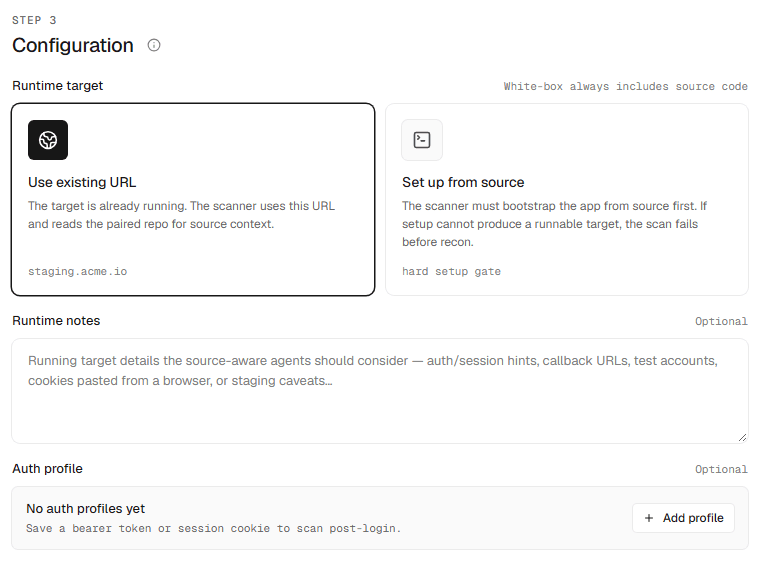
- A runtime URL, or a URL Interopt bootstraps from source.
- Credentials for authenticated testing.
- Environment profiles and context notes for the agent.
Source roles
When you scan from a repository, tag each one as runtime, frontend, backend, infra, shared, source, or other so the agent knows how the parts fit together.
Depth
Depth sets how many passes the agent makes over the target. Each pass explores differently, so extra passes find issues the earlier ones missed.
- Standard — two passes, 1× credits. Suited to regression checks on a surface you have scanned before.
- Deep — three passes, 1.5× credits, and the default. Use it for a first scan, an important release, or a surface that changed shape.
See Coverage for how depth affects recall.
Safety
- Irreversible actions are off by default. The agent still signs in, submits forms, and creates data, but stops short of anything it cannot undo, such as deleting records or issuing refunds. Turn it on only when that surface needs testing, preferably against a staging copy.
- Authorization must be confirmed for every scan, and is enforced on the server, not just in the form.
See Safety limits for the details.