Safety limits
What a scan is allowed to do to the target, and who says so.
An active scan changes things. Two controls decide how far it goes.
Irreversible actions
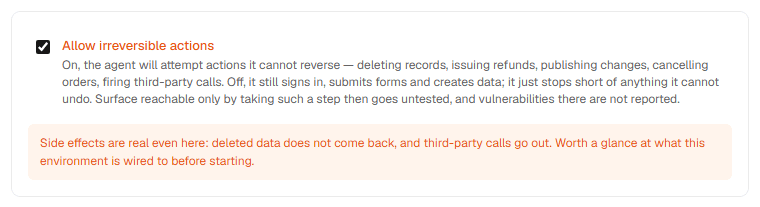
Allow irreversible actions is off by default. Off, the agent still signs in, submits forms, and creates data; it stops short of anything it cannot undo. Surface that is only reachable by taking such a step goes untested, and vulnerabilities there are not reported.
On, the agent will attempt actions it cannot reverse — deleting records, issuing refunds, publishing changes, cancelling orders, firing third-party calls. The control is marked with a warning, and a target marked Production gets its own note: side effects land for real, and a staging copy is preferable where one exists.
Authorization
Every scan requires I confirm I'm authorized to test this target. It is enforced at the server boundary, not just in the form, so a scan cannot be created without it.
The confirmation covers the active probes the scan sends. When irreversible actions are enabled, it also covers those.
Frozen at start
A scan keeps a frozen copy of the configuration it started with. Later edits to the asset, the credentials, or the workspace defaults do not change a run that already happened — including the irreversible-action setting, which the scan page reports as allowed or blocked.